Free
The core, free for good
- Unlimited ideas
- Text and voice input
- Organize by hand, tags, custom fields
- Projects, tasks and reminders
- Daily prompt
- Widgets
Shows ads


Idea Notebook
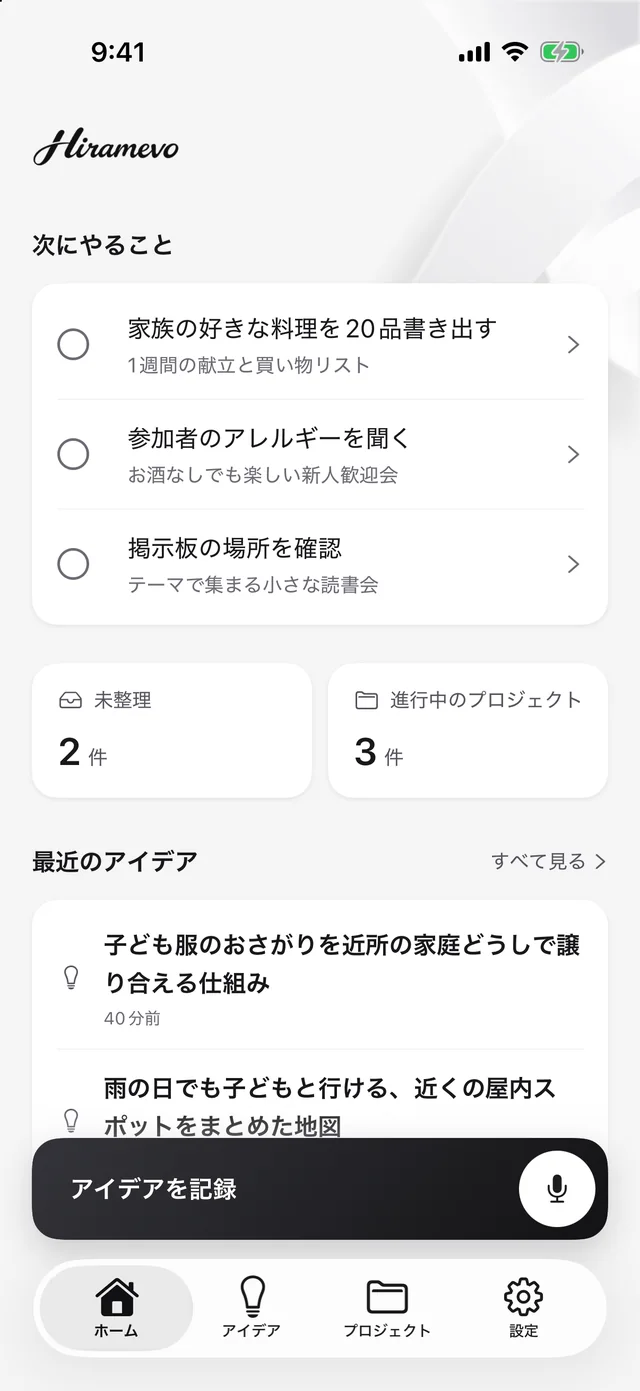
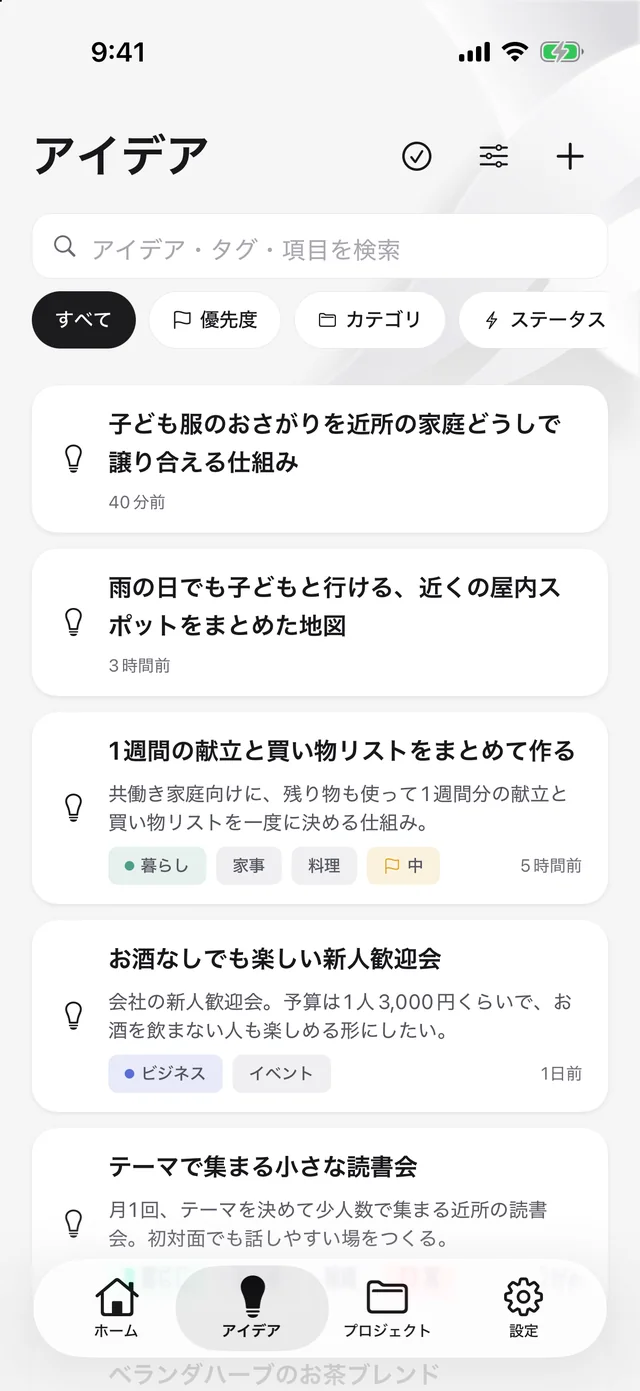
Write it down the moment it comes. Organize it later. When you decide to do it, move it forward one step at a time. Hiramevo puts all of that in one place.
The core features are free. No sign-up.
Why
The best ideas are
the first to fade.
Ideas pile up in your notes app and never get a second look.
The thought from the shower or the train is gone by the time you sit down.
You want to do it, but the first step never gets decided.
How it works
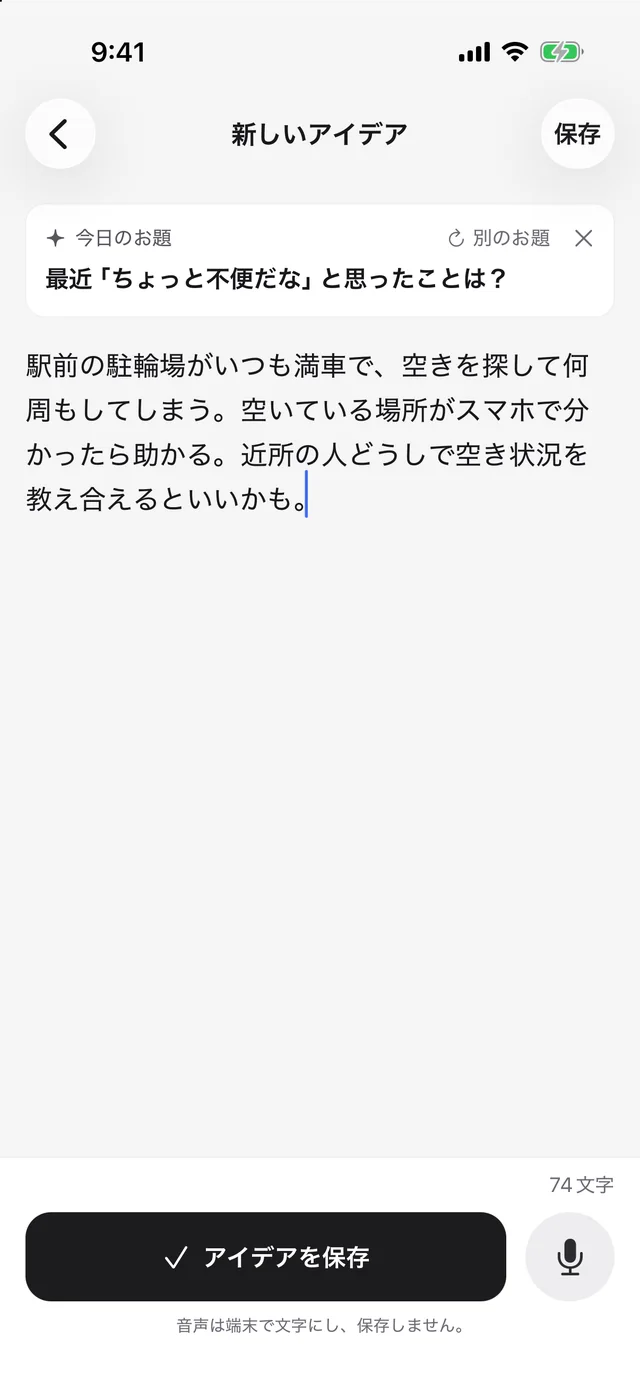
Type or speak. No title or category needed.
Fill in the audience, problem and more, by hand or with AI.
Turn the ideas you commit to into a plan with a goal and a date.
Your next steps wait on the home screen.
01Capture
Open the app and start typing, or talk if you are on the move. Organizing can wait, so rough words are fine.
02OrganizePlus / Pro
From what you wrote, AI suggests a title, category, tags and fields like audience and problem. You can tell what came from your words and what AI inferred, so you can check before you trust it.
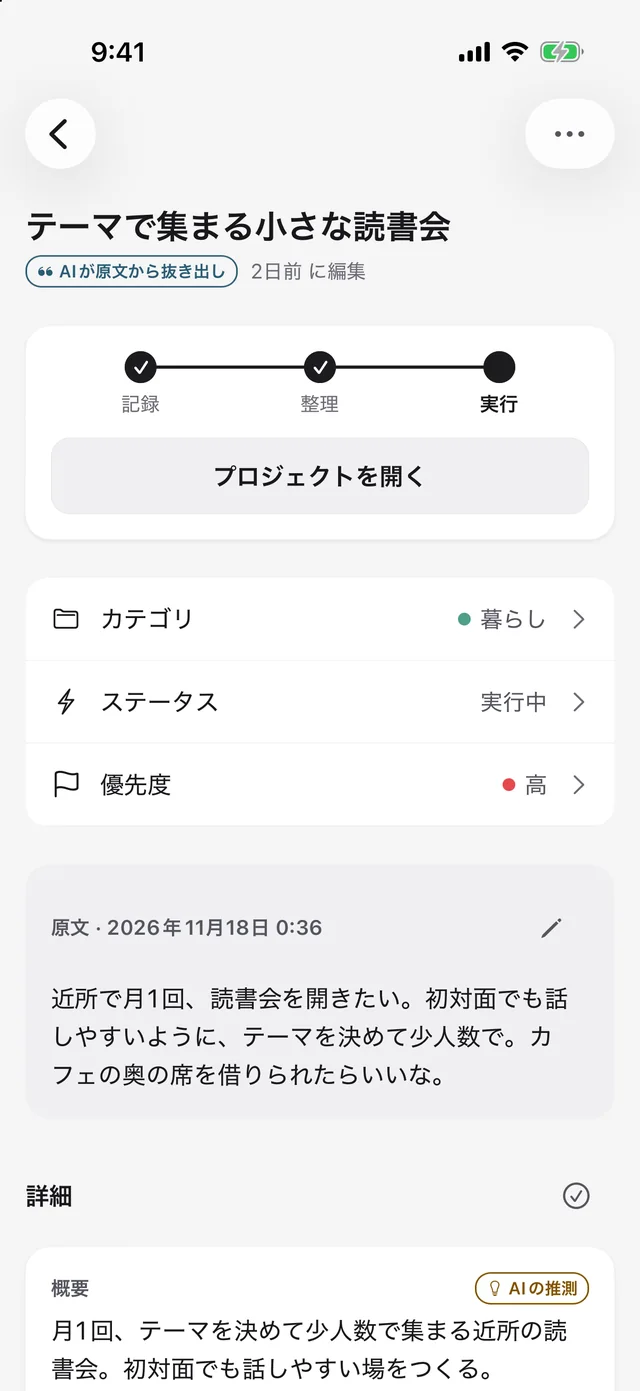
AI suggestions show where they came from
From your wordsAI inferenceAI proposal03Spark
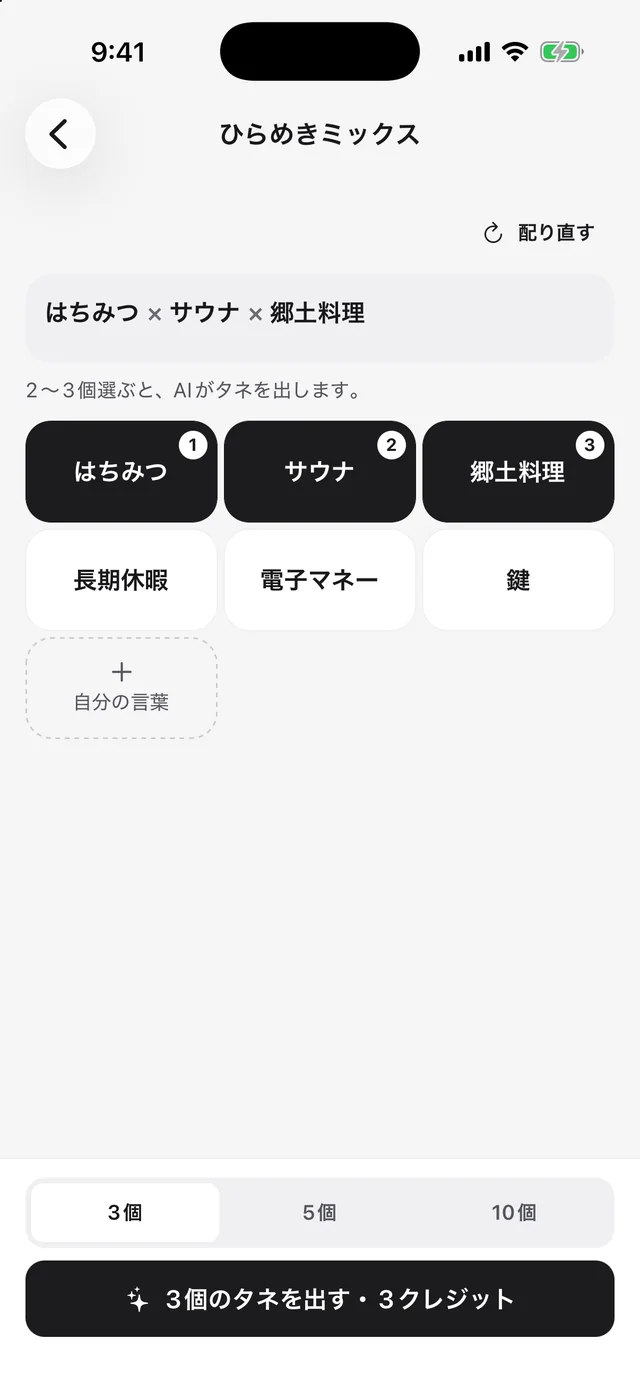
A new prompt every day, and Idea Mix, which turns two or three words you like into seeds for ideas.
04Act
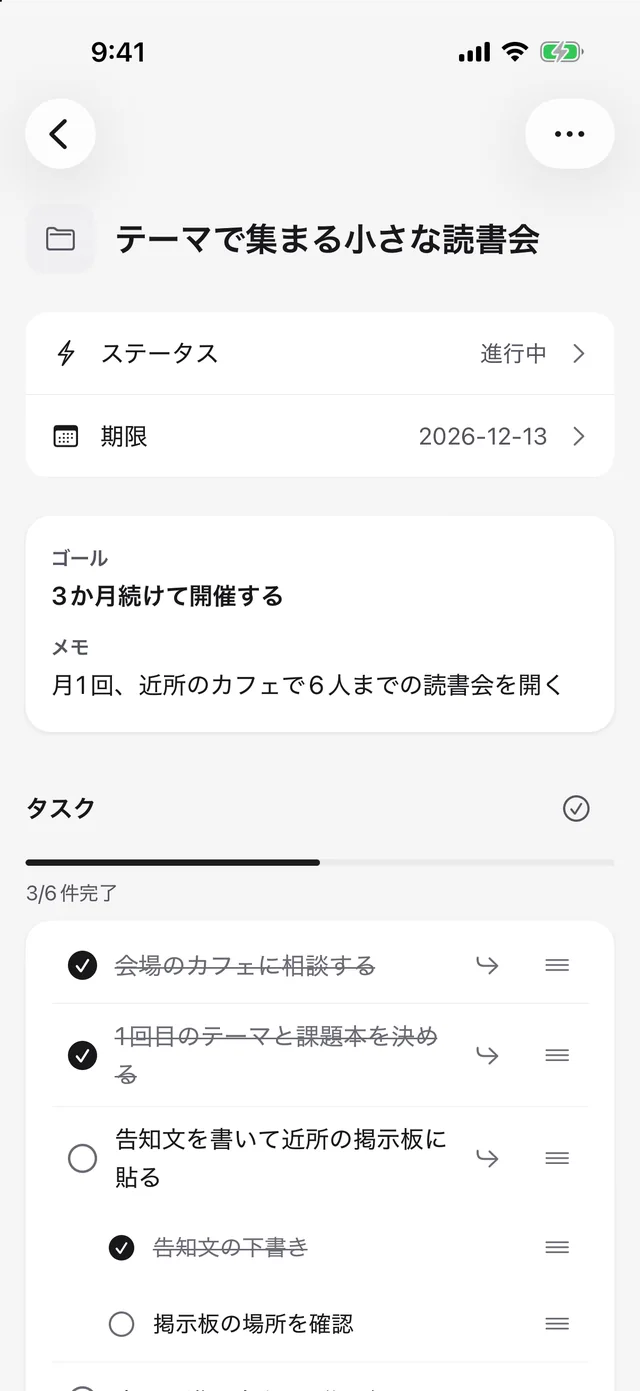
Give it a goal, a due date, tasks and subtasks. Tell AI how much time and budget you have, and it drafts a phased plan with tasks.
Widgets
Four widgets in three sizes. Capture, see today’s prompt or mix words without opening the app. They follow the app’s appearance, light or dark.
 22 to organize
What just sparked?
2 to organizeWhat annoyed you a little lately?
What annoyed you a little lately?
Today’s promptWhat annoyed you a little lately?
2
to organize
What annoyed you a little lately?
2 to organizeWhat annoyed you a little lately?
Available on iPhone and Android.
Privacy
Saving, searching and browsing never send anything anywhere.
Start right away. No email, no account.
Only the ideas you choose are sent, and only when you run an AI feature.
Export a file and bring your ideas to a new device (Plus / Pro).
Pricing
Capturing, organizing and projects are free. Go paid when you want AI to help, or want the ads gone.
The core, free for good
Shows ads
Organize with AI and follow through
100 AI credits a month
For heavy AI use
300 AI credits a month
FAQ
Unlimited ideas, voice input, organizing by hand, projects and tasks, the daily prompt and widgets. AI features and no ads come with Plus and Pro.
Points used when you run AI features. Organizing one idea takes about 1 to 2 credits. Your plan adds credits every month.
No. AI results are held for up to 24 hours so you can still get them after closing the app, then deleted.
Export a backup file and import it on the new device. Restore your plan with “Restore purchases”.
Both. Ideas are stored per device and do not sync automatically.
Start by writing one down.